 PixelyChat
 Chat & moderation
Translate
Translate incoming chat automatically while leaving languages you understand untouched.
Before you start
Translation works on incoming chat. Connect a channel first and choose which languages you actually need translated.
Translate incoming messages
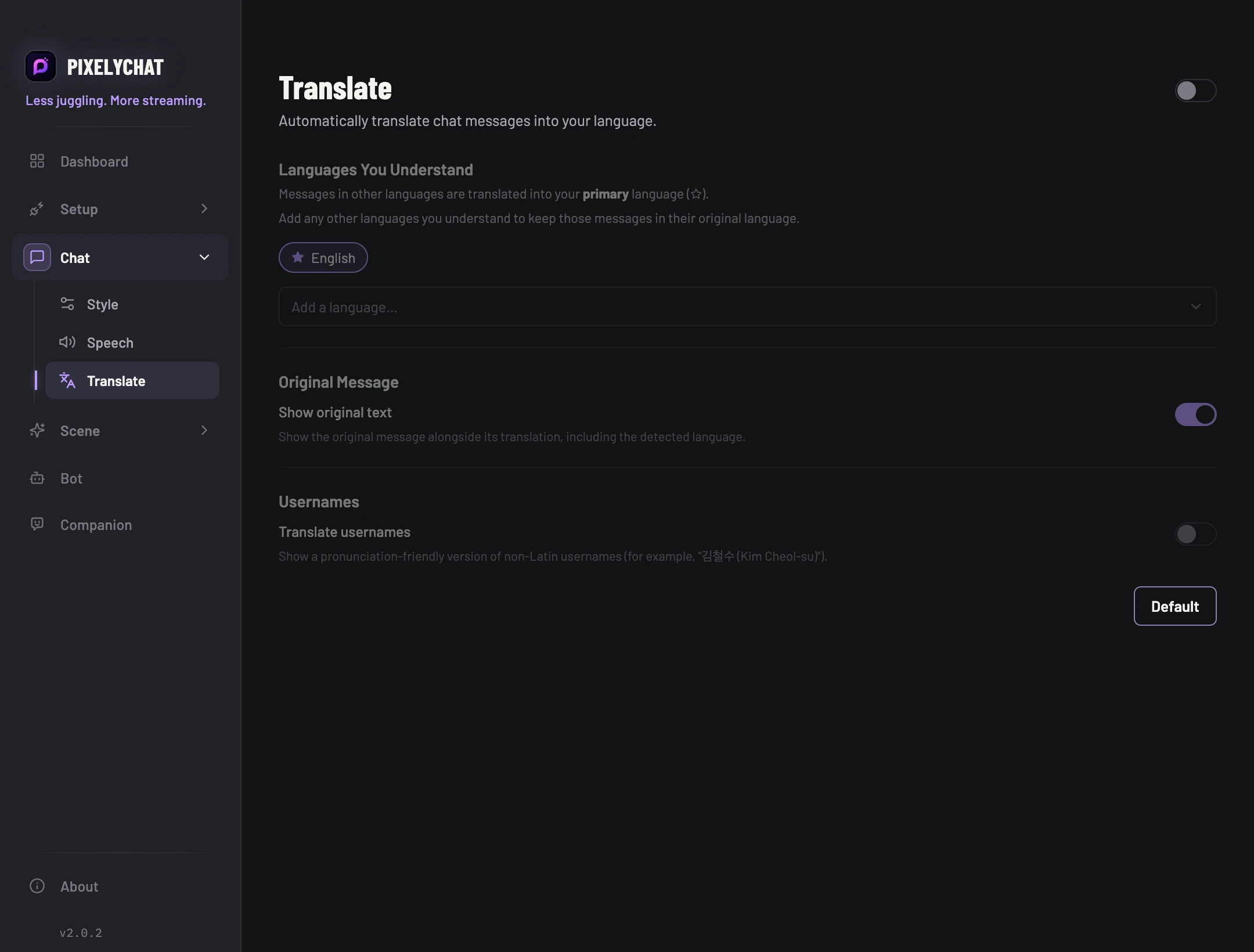
- Enable Translate. Add the languages you understand and make your preferred reading language the primary language.
- Choose whether to show the original text alongside the translation. Keep it visible while testing so you can compare the two.
- Ask for a message in a language outside your understood list, then one in a language on that list. Check both in chat.
Check the result
The unfamiliar language is translated into your primary language; the understood language stays unchanged. If nothing translates, check the enable switch and language list, then inspect any service warning. Changing the list does not turn older messages into a new test.
Settings and further help
Your primary language is the target.
Choose the primary language you want messages translated into. Add any other languages you understand so those messages stay in their original form. Translation happens on incoming chat and recovers automatically after temporary service failures.
You can keep a multilingual community readable without forcing every viewer into one language. The original message remains available in the chat experience so context is not lost.