PlatformsFeaturesAboutContactManualFAQ💜 Support DevelopmentDownload
🎉 Free — and staying free

Less juggling.
More streaming.

Bring Twitch, YouTube, Kick, and TikTok chat together in one simple app. Moderate, translate, and speak your chat, turn follows, subs, Channel Points, and TikTok gifts into themed on-screen rewards, and let a built-in AI chatbot handle the rest — all with OBS and Streamlabs overlays built in.

Made by a streamer who'd rather be playing than managing apps.

Available for Windows, macOS & Linux

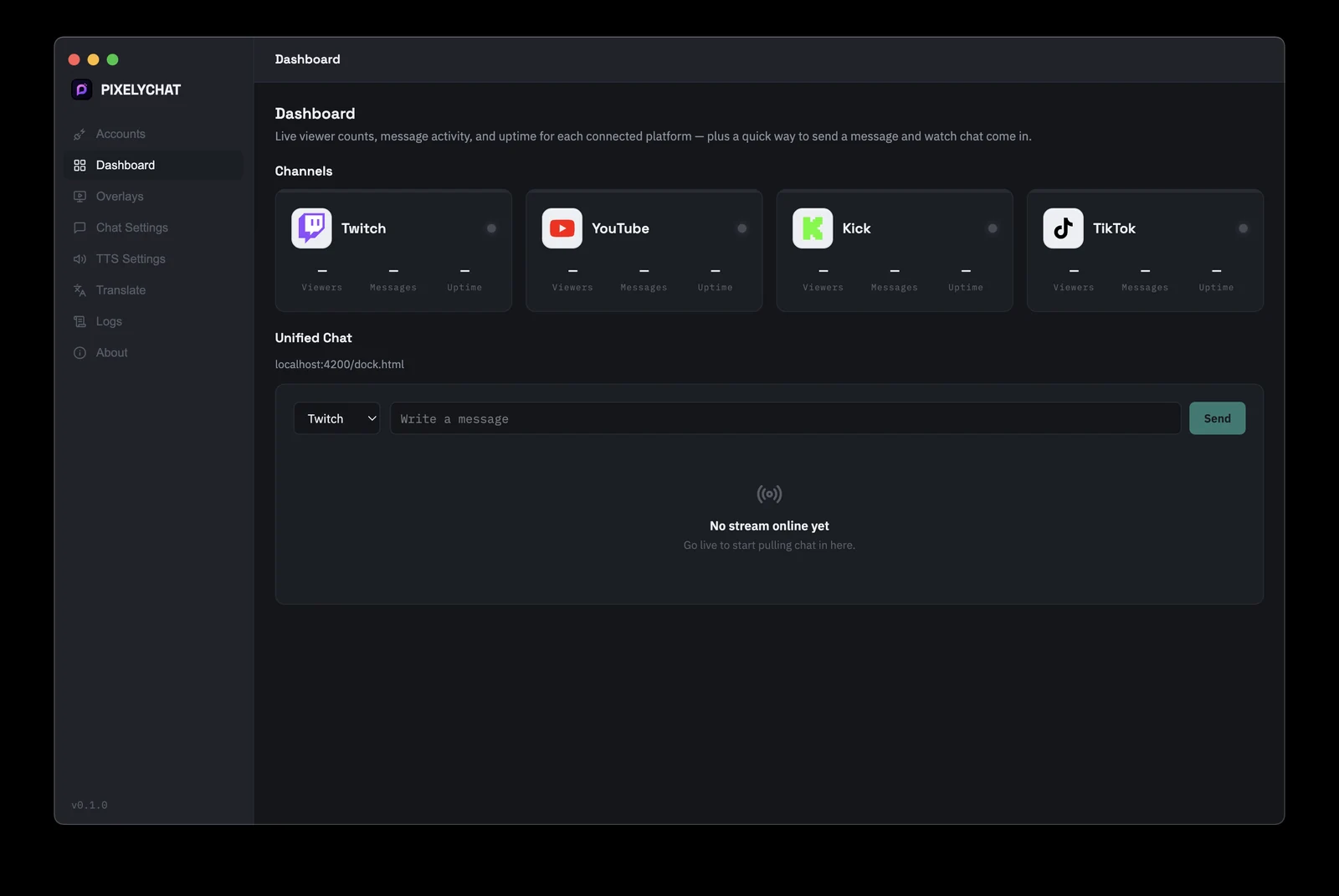
PixelyChat dashboard showing unified Twitch, YouTube, Kick, and TikTok chat in one feed

Stream Anywhere. See Every Message.

Connect your favorite streaming platforms and bring all your chats together.

Twitch Twitch
YouTube YouTube
Kick Kick
TikTok TikTok

One Chat

Every message, from every platform, in a single feed.

Multiple Platforms

Twitch, YouTube, Kick, and TikTok, all connected at once.

Simple Setup

Log in once per platform and you're ready to go.

Works While You Stream

Runs quietly in the background so you can focus on your game.

Everything you actually need

No scripting, no config files, no YouTube tutorial required — just the stuff that makes running a multi-platform stream less complicated.

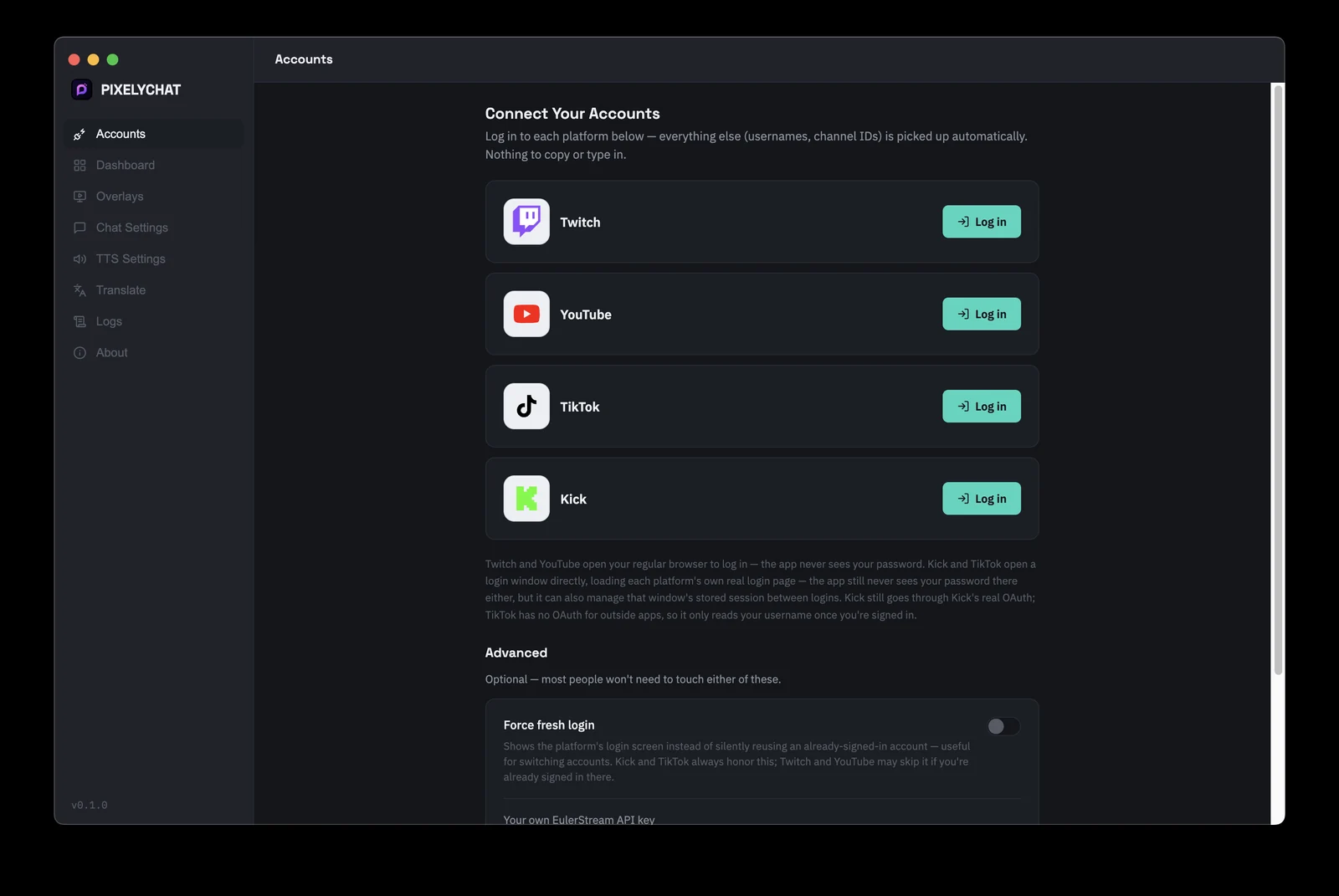
Effortless Account Setup

Log in to each platform once — PixelyChat picks up your username and channel details automatically. No copying stream keys or channel IDs, and your password never passes through PixelyChat at all.

Connecting Twitch, YouTube, Kick, and TikTok accounts in PixelyChat

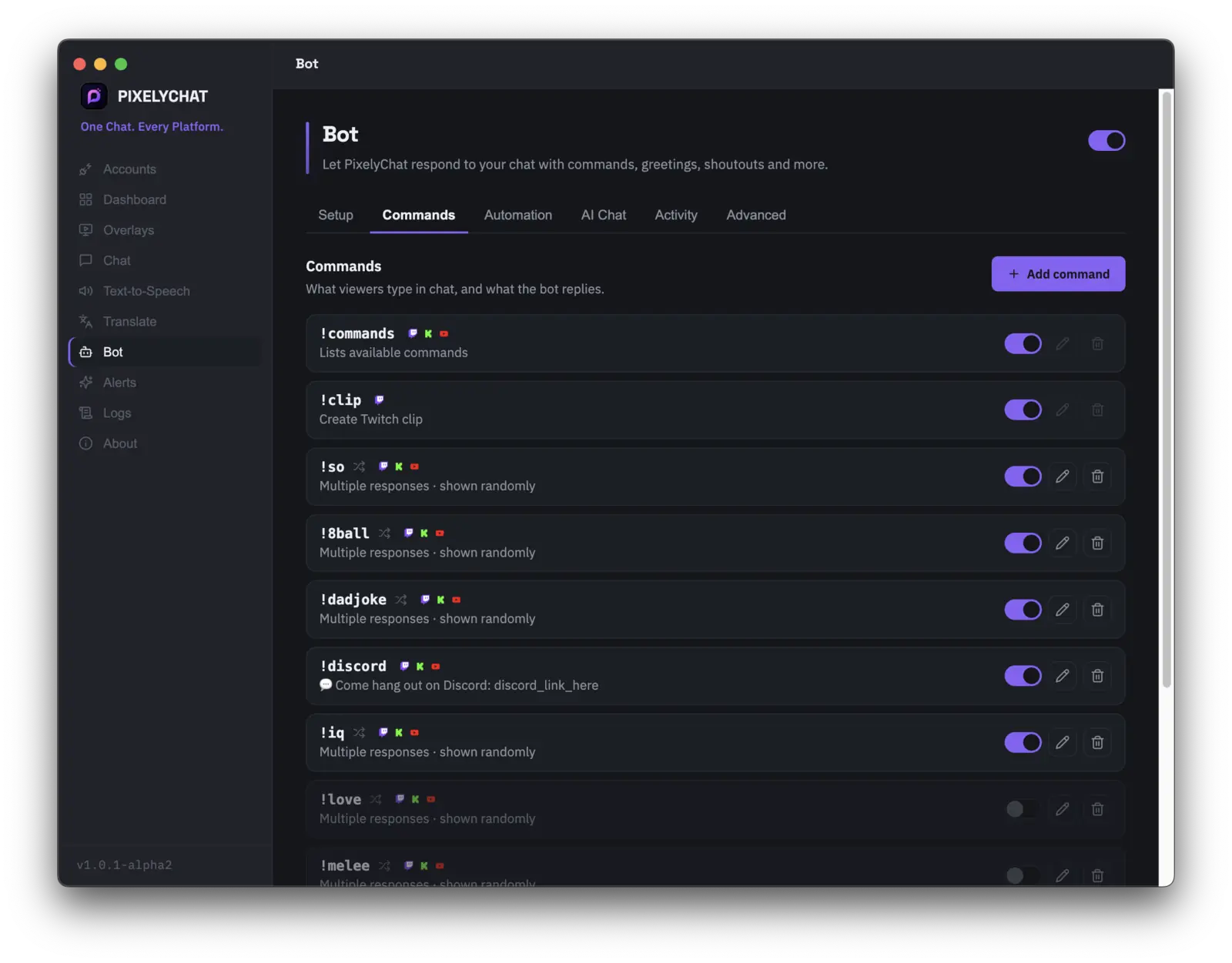
A Chat Bot That's Actually Fun

It feels alive: !so, !8ball, !dadjoke, and more, each firing back a different randomized reply so it never sounds like a script. Lock any command to mods or subs, set cooldowns, then let greetings, shoutouts, and raid alerts handle themselves while you focus on the game.

PixelyChat chat bot custom command builder for Twitch, Kick, and YouTube

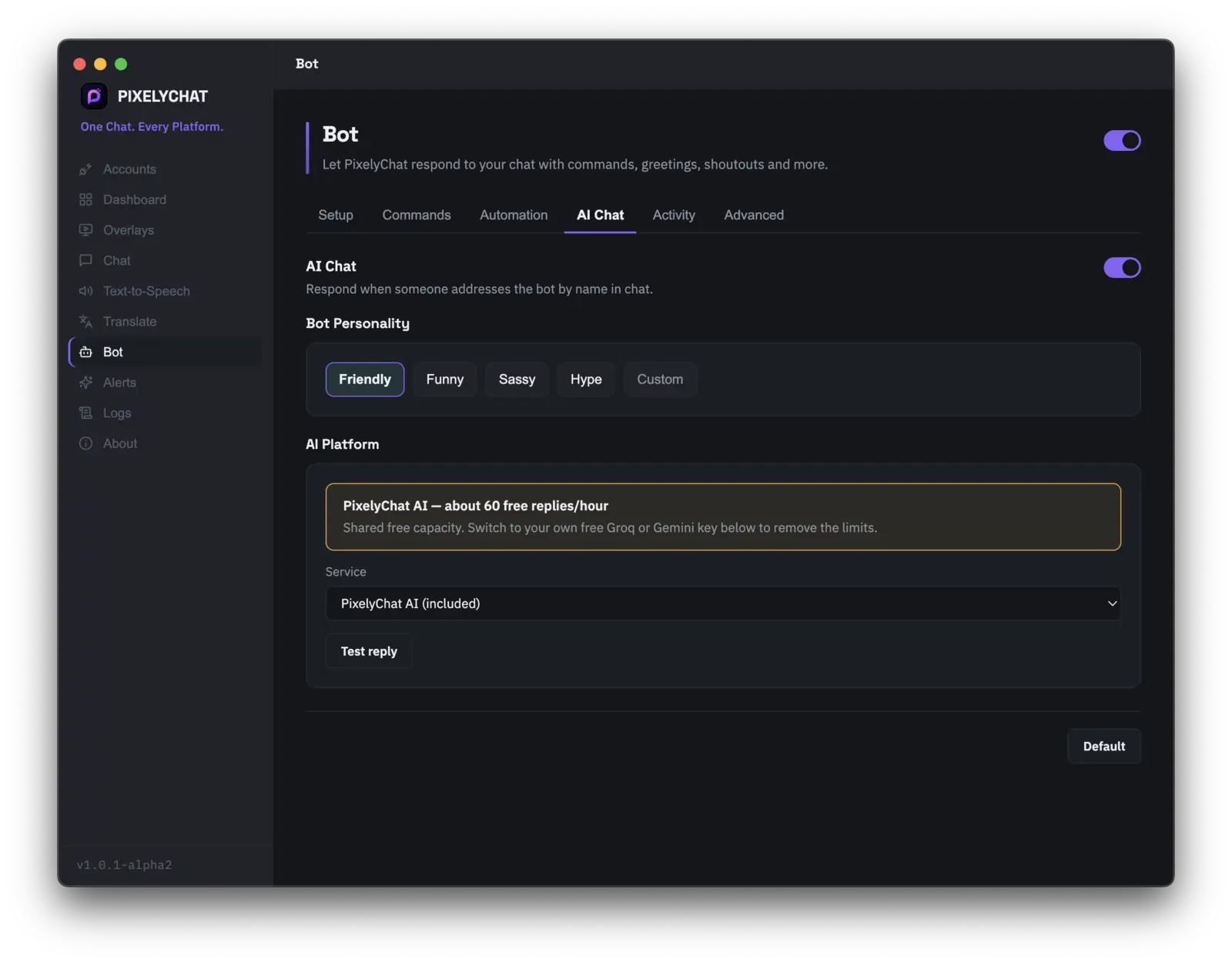
An AI Co-Host For Your Chat

@mention your bot and it actually replies — pick a personality (Friendly, Funny, Sassy, Hype, or write your own) and it'll match the vibe of your stream instead of sounding like a script. Free hosted AI is included out of the box, no API key or signup required, with the option to bring your own key for more headroom.

PixelyChat AI chat bot replying automatically in stream chat

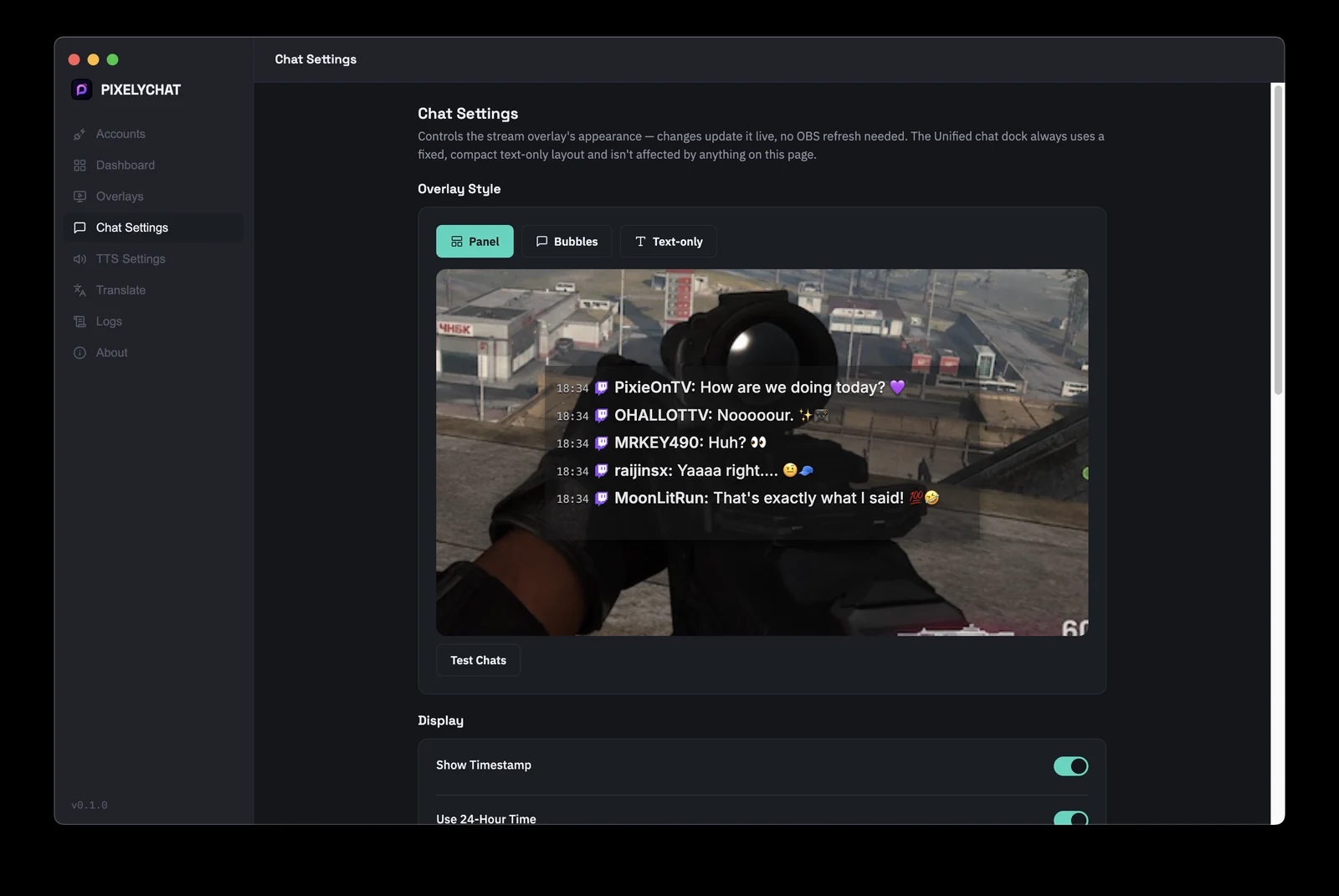
Customizable Chat Overlays

Panel, bubbles and more themes. Toggle avatars, timestamps, and platform icons, adjust transparency and corners, or let each platform show up in its own color. Your OBS and Streamlab source updates as you go.

PixelyChat OBS chat overlay customization settings

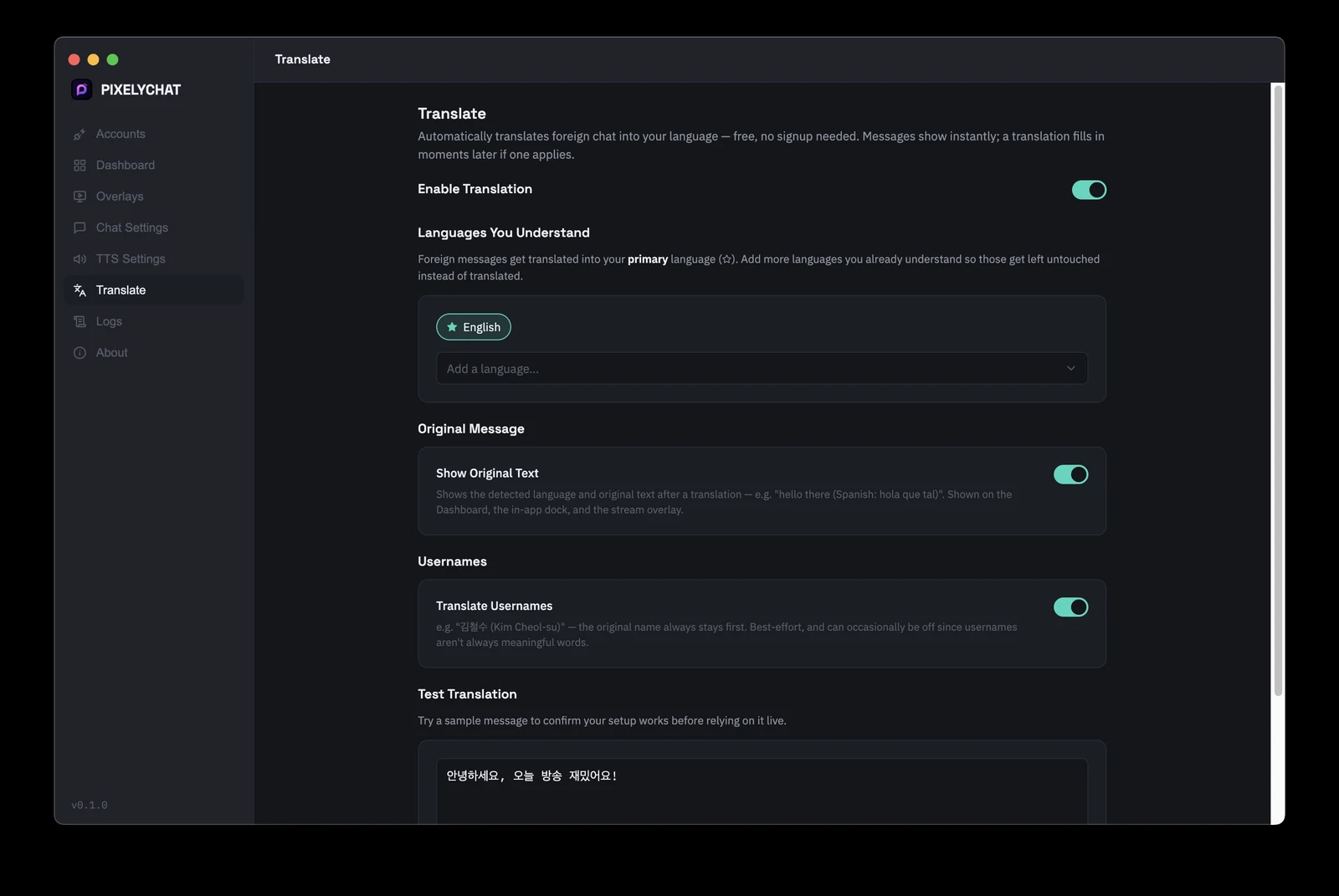
Live Translation

Foreign-language chat gets translated into your language automatically. Pick the languages you already understand, and everything else gets translated on the fly, original text kept alongside it so context never disappears.

Live chat translation settings in PixelyChat

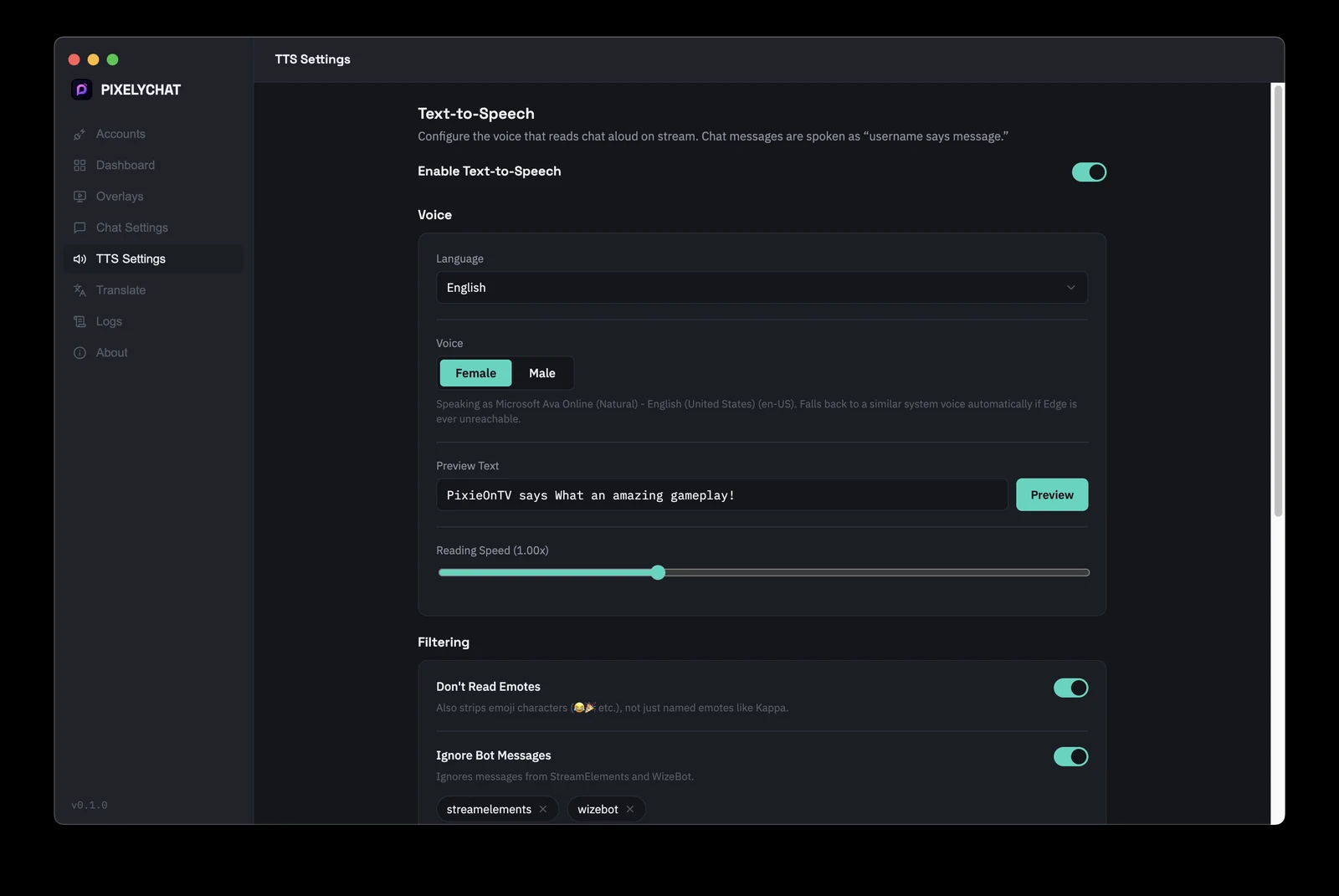
Advanced Text-to-Speech

Reads chat aloud in a natural-sounding voice. Pick a voice you like, control reading speed, ignore specific users or bots to only hear what you need to, and set limits so a raid or hype spam doesn't leave TTS reading a five-minute backlog out loud.

Text-to-speech (TTS) settings for reading stream chat aloud in PixelyChat

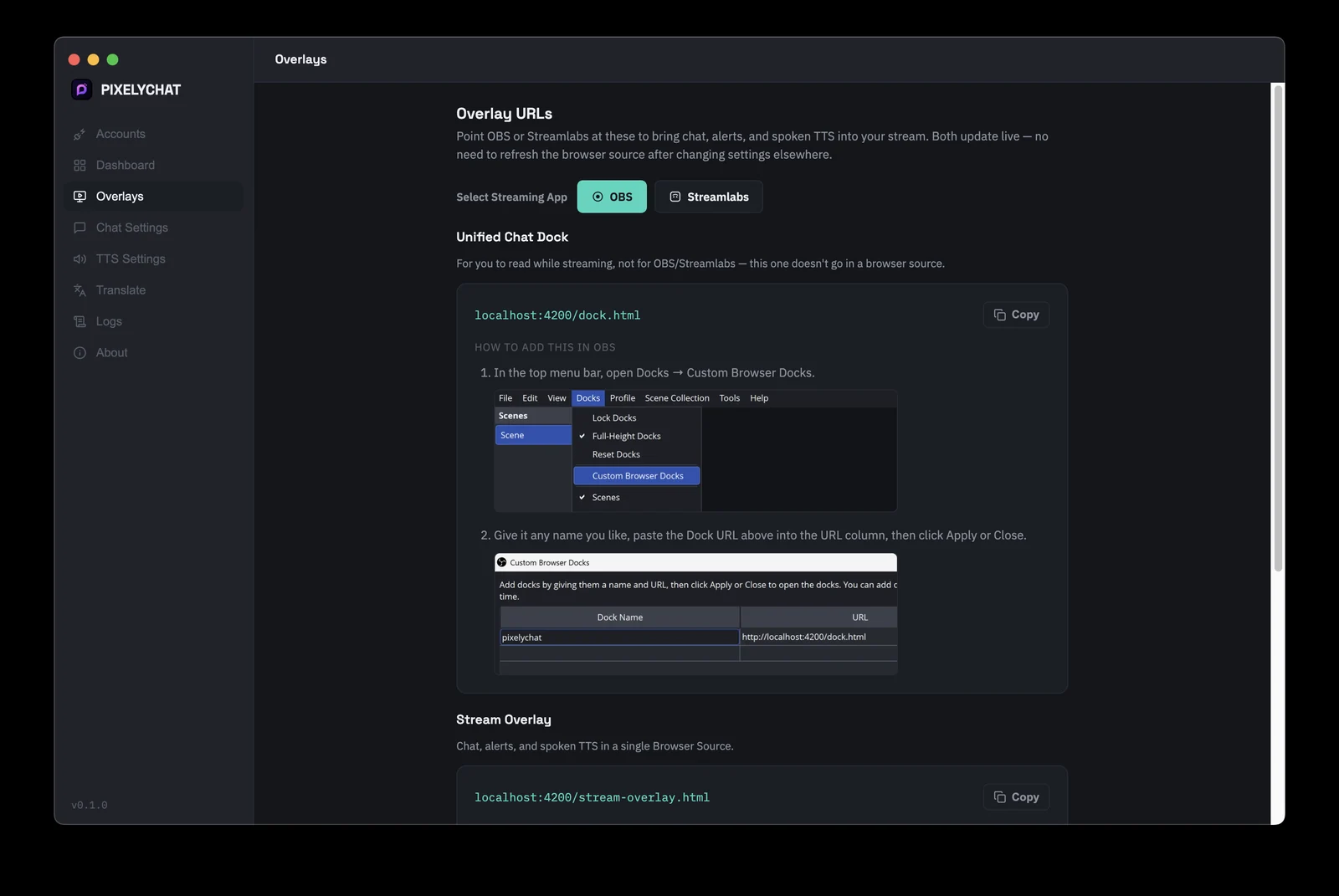
Instant OBS & Streamlabs Overlays

Copy one URL, paste it into a Browser Source in OBS or Streamlabs, done. Every style change updates the overlay live — no refreshing, no re-adding the source — and step-by-step setup screenshots are built right into the app.

OBS and Streamlabs browser source overlay link generator in PixelyChat

On-Screen Alerts With Custom Themes

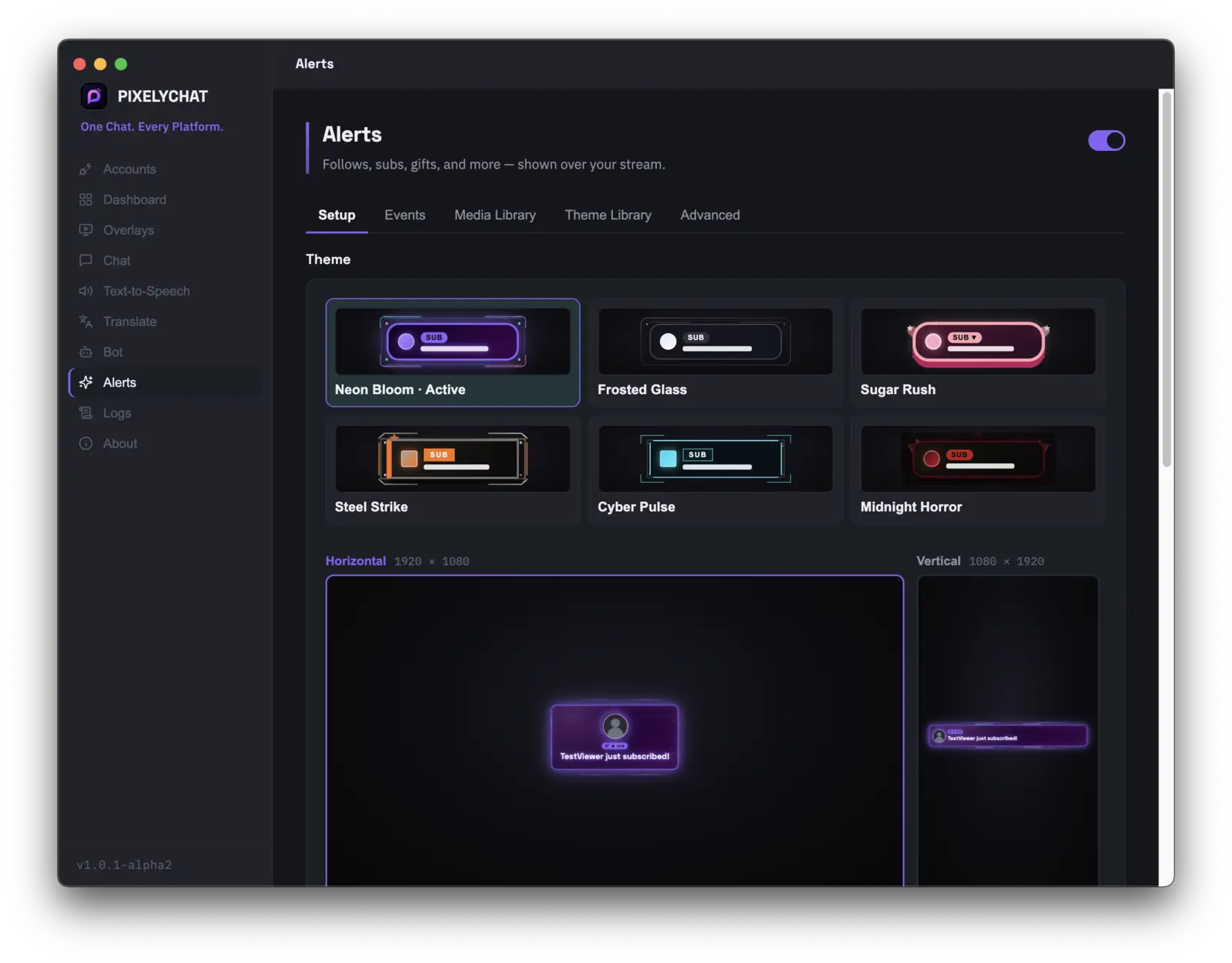
Follows, subs, gifts, raids, and more pop on stream with polished themes, sounds, and media you can customize per event. Works across Twitch, YouTube, Kick, and TikTok — same Browser Source setup as the chat overlay, no extra services required.

PixelyChat alerts setup with themed on-screen event alerts for Twitch, YouTube, Kick, and TikTok

Custom Rewards for Channel Points & TikTok Gifts

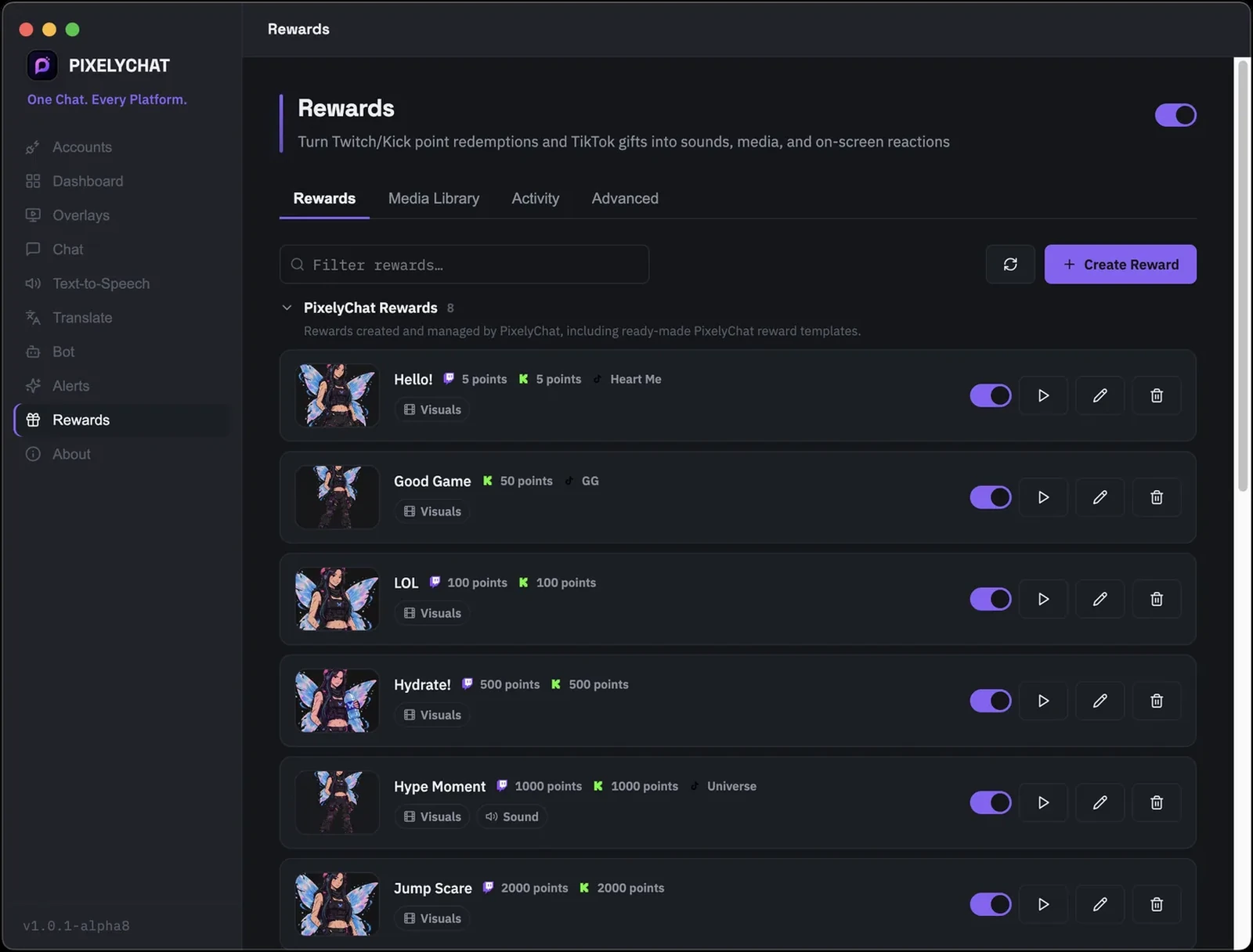
Turn Twitch/Kick Channel Point redemptions and TikTok gifts into their own on-screen reactions — visuals, sounds, and read-aloud text, no scripting required. Build from bundled presets or upload your own media, set a point cost per platform, and let PixelyChat queue everything so a redemption burst doesn't overlap on screen.

PixelyChat Rewards tab listing custom Channel Point and TikTok gift rewards with visual and sound reactions

Bring TikTok Gifts to Life

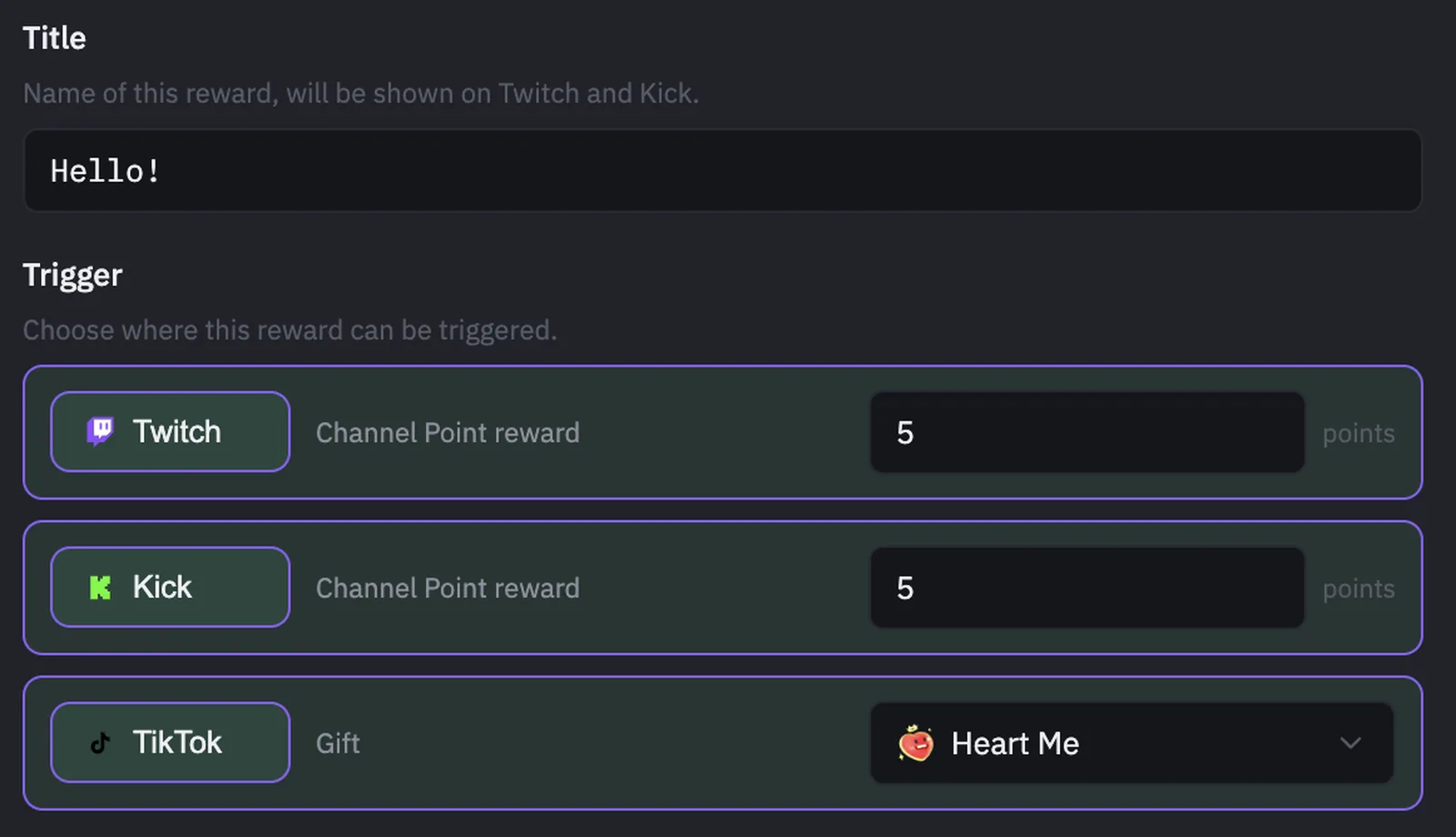
Map any TikTok gift — Rose, Heart Me, Universe, and more — to its own reward, right alongside Twitch and Kick Channel Points. Pick the visual, sound, and an optional spoken line per gift, so viewers instantly see and hear their gift land on stream.

PixelyChat reward trigger setup mapping a TikTok gift alongside Twitch and Kick Channel Point costs

Quick Admin From the Dashboard

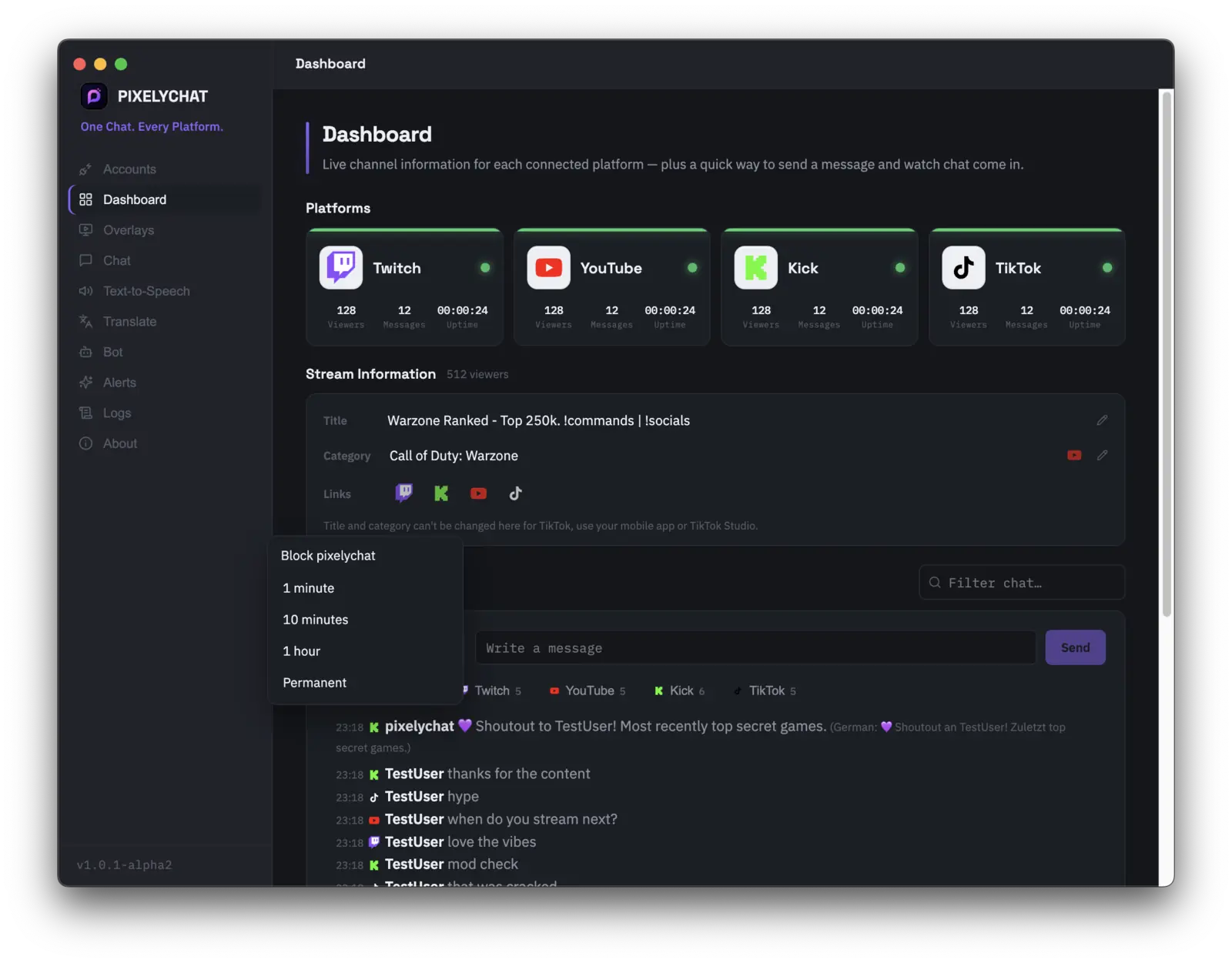
Delete messages, block users, and update your stream title and category for Twitch, Kick, and YouTube without leaving the app. One place to manage chat and stream info while you play.

PixelyChat dashboard with quick admin tools to delete messages, block users, and edit stream title and category

Multi-Language Interface

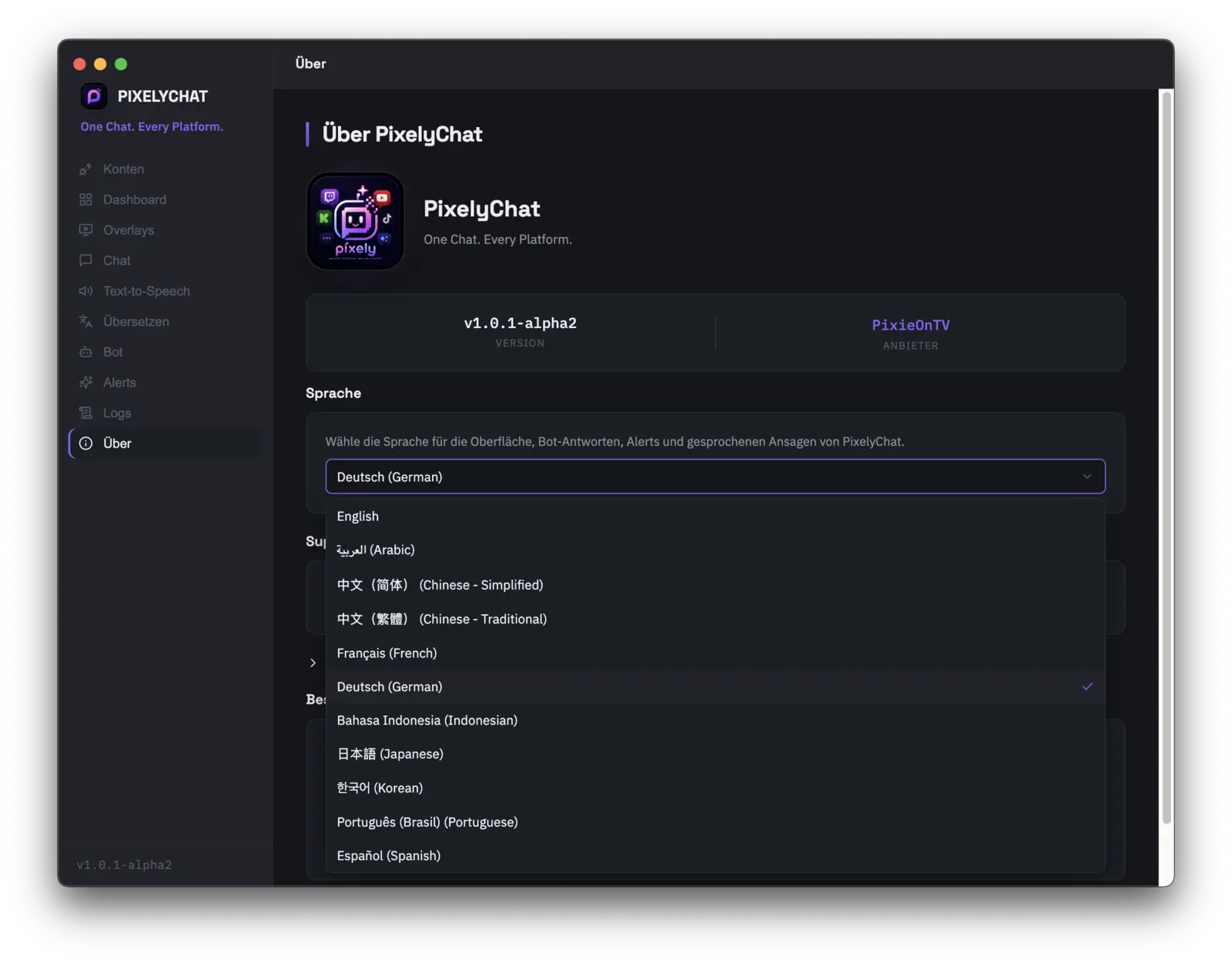
Run PixelyChat's own interface — not just chat translation — in 11 languages: English, Arabic, Chinese (Simplified & Traditional), French, German, Indonesian, Japanese, Korean, Portuguese, and Spanish. It covers the dashboard, bot replies, on-screen alerts, and spoken TTS announcements.

PixelyChat About page with the interface language dropdown open, showing all 11 supported languages

Stream Widgets for Every Platform

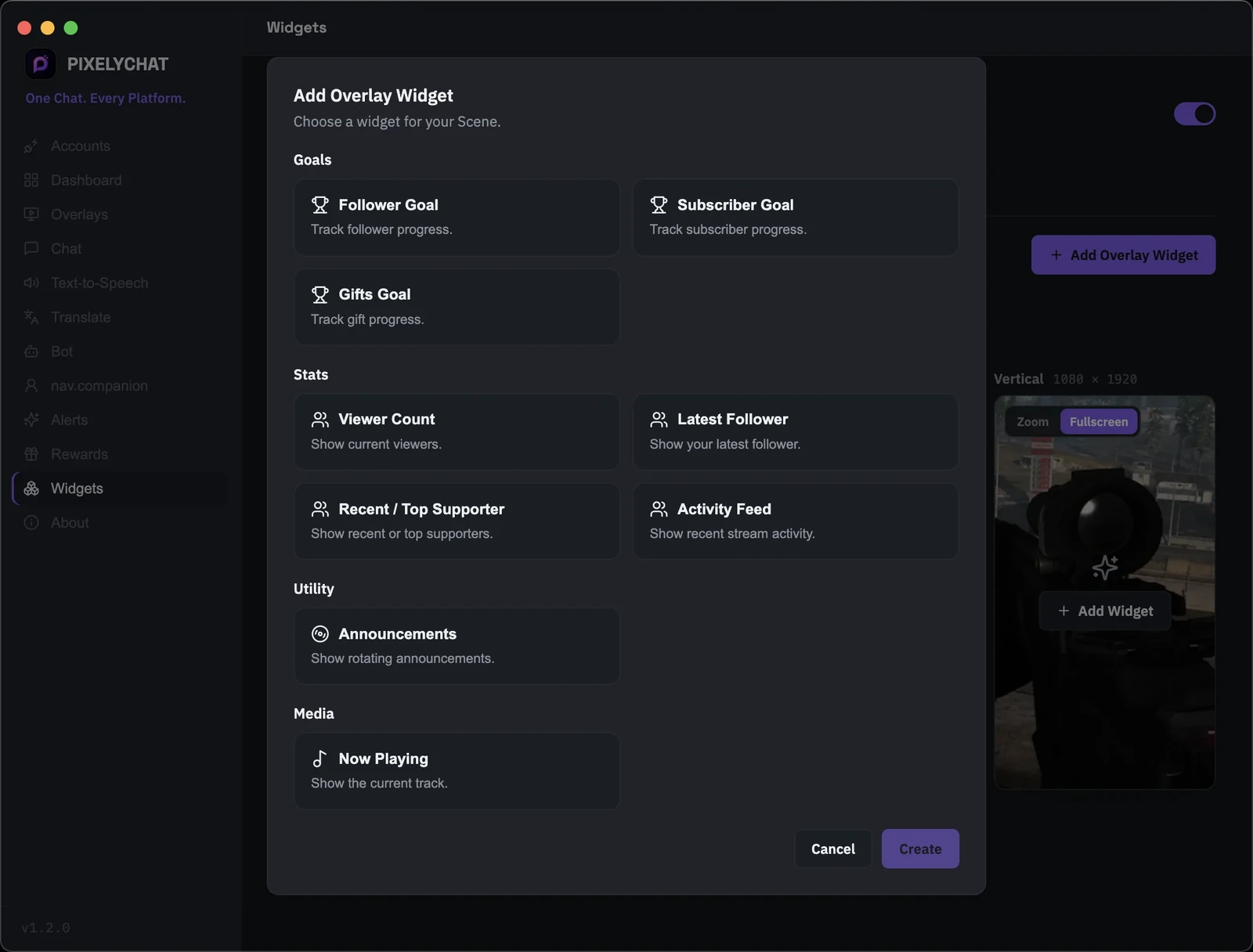
Add goals, live stats, activity feeds, announcements and Now Playing to your stream — all from one widget editor built for multistreaming.

PixelyChat Widgets page with follower, subscriber and gift goals, live stream stats, activity feed, announcements and Now Playing widgets

Companion — Your AI Co-Host

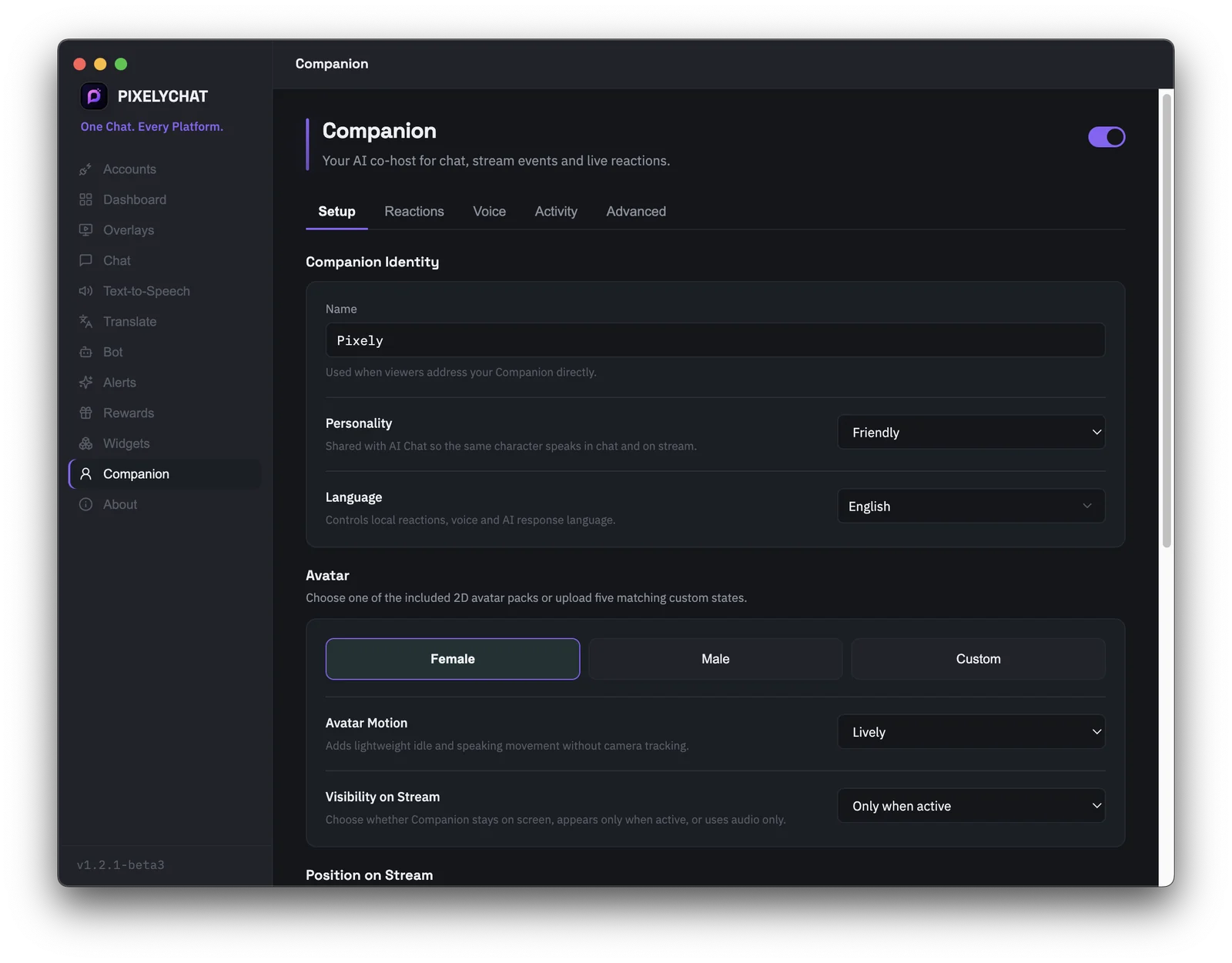
Give your stream a character that reacts with you. Companion combines a 2D avatar, voice, captions, the same personality as AI Chat, and event-driven reactions for follows, subs, gifts, rewards, and direct mentions. Common reactions run locally to keep AI usage low, and you can show it always, only when active, or as audio only.

PixelyChat Companion setup with AI co-host identity, personality, voice and 2D avatar controls

Spin Wheel — Interactive Action Widget

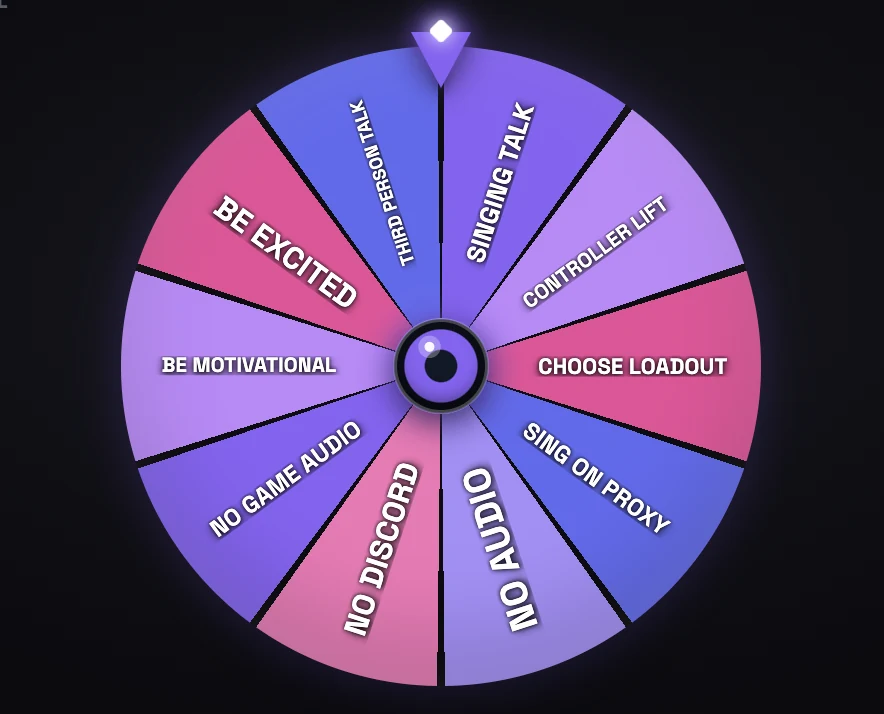
Put a transparent wheel directly on stream, choose a built-in template or create your own, then trigger it manually from the Dashboard or automatically from Bot Commands, Alerts, and Rewards. Each wheel keeps its own templates, results, and separate horizontal/vertical layout.

PixelyChat Spin Wheel action widget with an interactive transparent wheel for stream challenges and viewer triggers

Plus a few more things

External Emote Support

7TV, BTTV, FrankerFaceZ and other emotes render right alongside native platform emotes, so chat actually looks like chat.

Live Viewer & Message Stats

See live viewer counts and message activity for every connected platform side by side on the Dashboard.

Lightweight by Design

It sits quietly in the background doing its job. Your CPU and GPU should be busy with your game and your encoder, not a chat app.

PixieOnTV
Who's behind this?

Made by a streamer, mostly out of stubbornness

PixelyChat is built by PixieOnTV, a small variety gaming streamer who got fed up with existing multi-platform tools being either missing what she needed or requiring a computer science degree to configure. Spoiler: she doesn't have one of those. She built it for her own stream first, with zero plans to show anyone — then figured other streamers fighting the same chat chaos might want it too.

Read the full story →

How does this compare to other tools?

Honestly? There are several excellent free tools in this space already, and PixelyChat wouldn't exist without streamers building great things and sharing them for free. Here's the honest picture — go check these out too.

These are all actively developed, well-loved tools with their own strengths — this is a friendly comparison, not a takedown. If PixelyChat isn't the right fit for you, one of these probably is.

  PixelyChat Caffeinated Streamer.bot Social Stream Ninja SE.Live
Price Free Free Free Free Free
Operating Systems Windows, macOS, Linux Windows only Windows only Any (browser-based) Wherever OBS runs
No-code setup Yes Yes Optional (C# scripting available) Yes Yes
Built-in Translation Yes
Multi-language Interface Yes — 11 languages (UI, bot, alerts & TTS) Yes (community-translated) English only Partial (community translations in progress) Yes (web dashboard)
Text-to-Speech Built-in Built-in Via companion app Built-in
Write to Chat Yes (not TikTok) Yes (not TikTok) Yes Yes View only
External Emote Support 7TV, BTTV, FFZ Yes 7TV, BTTV, FFZ 7TV, BTTV
Platforms Supported 4 (Twitch, YouTube, TikTok, Kick) 7+ (incl. Trovo, DLive) 4 (Twitch, YouTube, Kick, Trovo) 100+ 4 for chat (Twitch, YouTube, X, Kick)
On-screen Event Alerts Built-in themes, sounds & media — all platforms Via extensions / scripting Yes (deep automation) Limited / via browser Yes (SE library)
Follow / Sub / Raid Alerts Yes — themed on-screen alerts Yes Yes Yes Yes
Donation Alerts Via platform gift/cheer events Yes Yes Yes Yes
Channel Point Rewards (Twitch/Kick) Custom visual, sound & spoken reaction per reward Yes — deep triggers (Twitch only) Yes — via Event Flow (Twitch & Kick) Own Loyalty points, not native Channel Points
TikTok Gift Custom Alerts Map any gift to its own reward Grouped into Donation alerts Yes — via Event Flow
Own Media Library Upload sounds & visuals, or use bundled presets Per-alert file picker, no central library Via your own OBS sources Yes — Stream Store asset library
Overlay Widgets (Goals, Stats & Activity) Built-in — goals, live stats, activity & Now Playing Via custom automation / OBS Via custom overlays Yes — widget & goal library
Update Stream Title Yes Yes Yes
Update Stream Category Yes Yes Yes
Copy Live Links Yes Via extensions / scripting
Send Emotes in Chat Yes Yes Yes Yes View only
Mod Tools Delete message, block / timeout Local hide only Timeout, ban & more Block (dock-level) Twitch only, via Chatbot
Chatbot Built-in, no signup Built-in, limited Built-in, deep Built-in, scriptable Built-in
Commands Cooldowns, access levels, random replies Basic; scripting for more Deep — actions & triggers Scriptable custom commands Variables & cooldowns
Automation Greetings, shoutouts, event alerts, timers — no-code Timers; events need scripting Very deep — visual triggers Event Flow node editor Timers & modules
AI Chat Free hosted AI included, no key needed — (custom script + own key) — (community extensions, own key) Free via local Ollama, or own key Via $(ai) variable, rate-limited
AI Companion / Co-host Built-in — 2D avatar, voice, event reactions & AI chat Via custom plugins / scripting Via custom actions / extensions; voice control & TTS available Built-in voice AI cohost Partial — AI command variable & custom widgets
Best for Chat unification + alerts + TTS + translation General-purpose multi-platform chat Deep automation & scripting Aggregating a wide range of platforms Overlays, alerts & multistreaming

Based on our own research into each tool's public docs and websites as of writing — feature sets change often, so it's worth double-checking directly with each tool before deciding. Competitor features last checked: September 2026.

Get PixelyChat

Download PixelyChat

Free forever. No subscription. No ads.

Choose your platform

We'll recommend the right download for your device.

Windows

Recommended

Choose the easiest way to install PixelyChat.

Microsoft Store Recommended · automatic updates · no SmartScreen warning
Coming Soon
Direct installer Download the Windows installer (.exe)
Download .exe

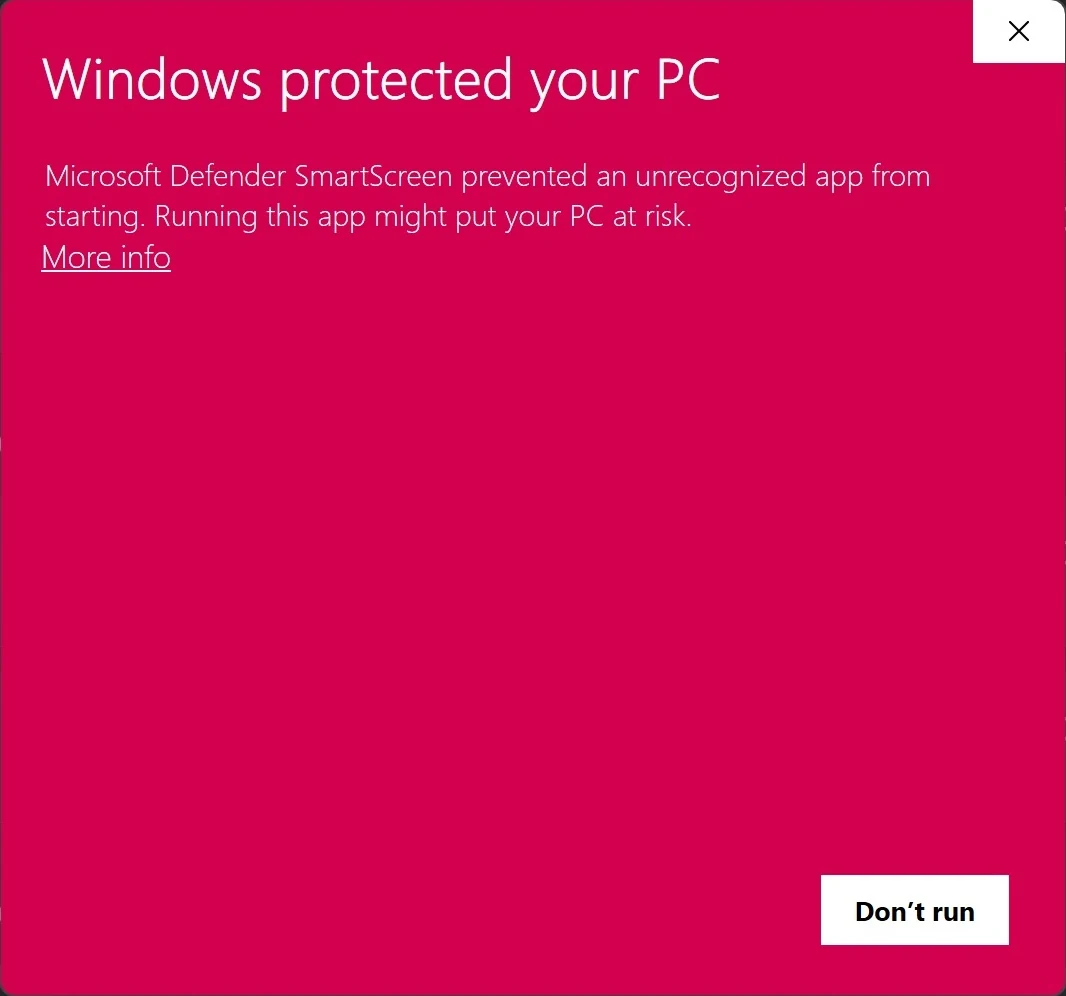
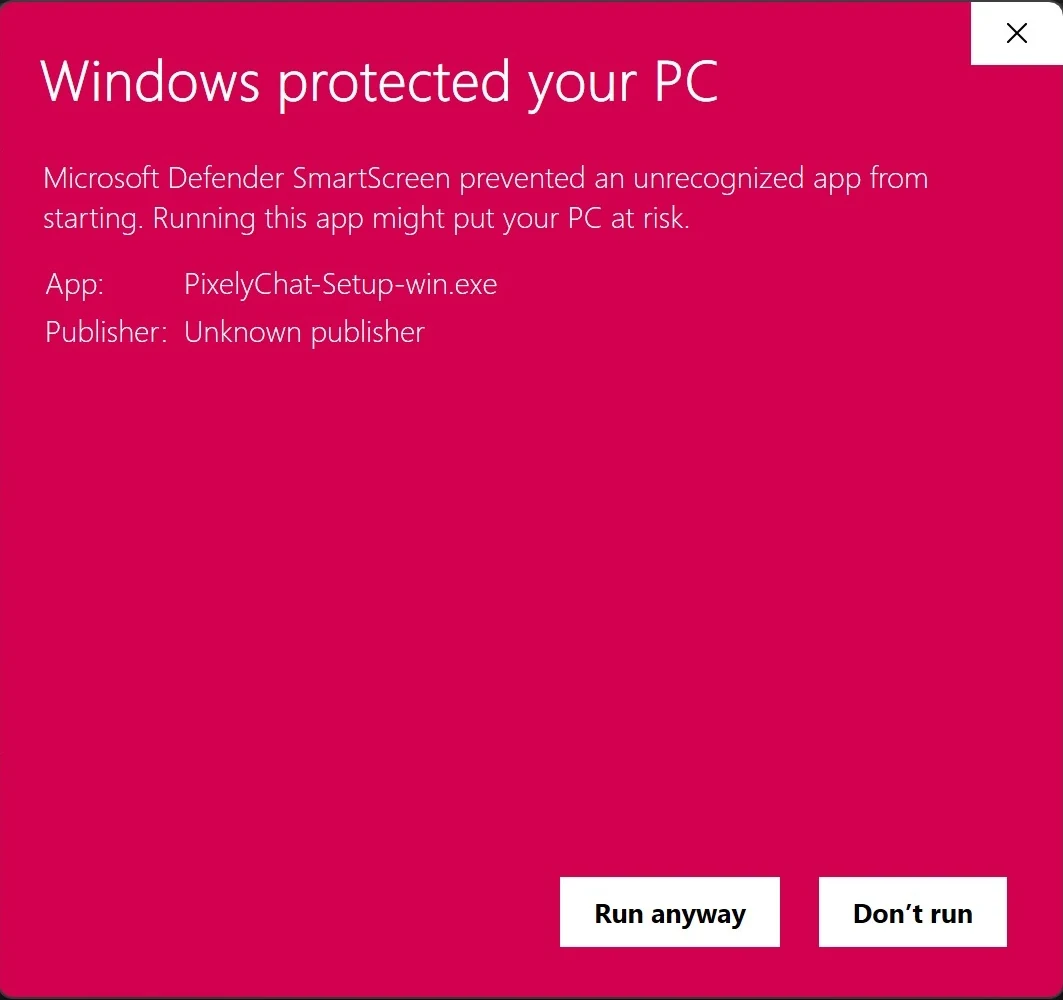
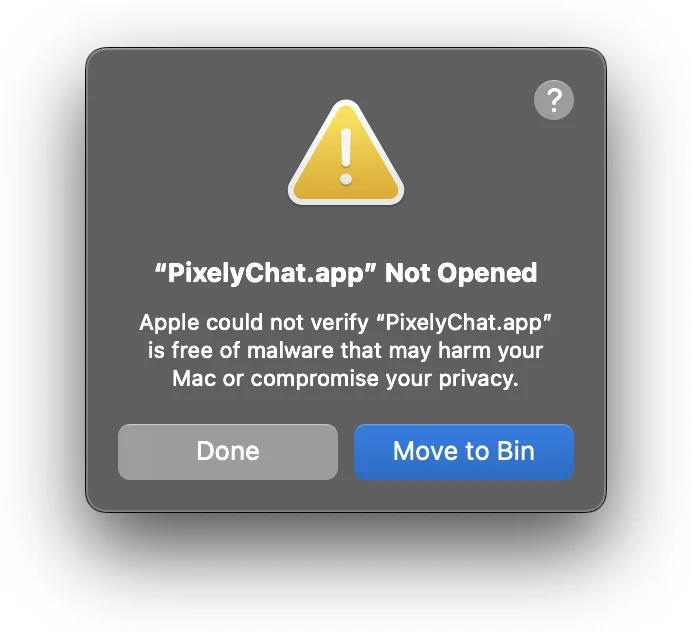
Windows may show this warning for newer applications downloaded directly from the internet. PixelyChat is digitally signed, but SmartScreen may still display a warning while publisher reputation is being established.

1

Click More info on the SmartScreen dialog.

2

Click Run anyway to continue.

Windows SmartScreen warning showing More info Windows SmartScreen warning showing Run anyway
PixelyChat Users:
Twitch
YouTube
Kick
TikTok

Frequently Asked Questions

PixelyChat is a desktop app for live streamers. It connects to Twitch, YouTube, Kick, and TikTok and pulls all your chat into one unified feed — readable in-app, spoken aloud with TTS, shown as themed on-screen alerts, and displayed live through an OBS/Streamlabs overlay.

Yes — Kick is fully supported alongside Twitch, YouTube, and TikTok. Kick chat shows up in your unified feed, gets read aloud by TTS, and appears in your OBS/Streamlabs overlay exactly like the other platforms.

Yes. PixelyChat uses the official Google OAuth 2.0 flow — you sign in through Google's own page, and PixelyChat never sees your password. We request permission to read your live chat and, if you choose to send a message from the app, to post to it — nothing broader than that. Full detail is in our Privacy Policy.

No. PixelyChat runs locally on your computer. Your chat data, login tokens, and settings stay on your machine — we don't operate servers that store or process them, and we don't sell anything to anyone.

I built PixelyChat because I don't believe streamers should need to pay another monthly subscription just to access the tools they need.

From my own experience with subscription-heavy streaming software, I wanted to create an alternative that is accessible to everyone — including creators in countries where recurring subscription costs can be difficult to afford.

PixelyChat is my way of giving back to the streaming community. There are no licenses, subscriptions, or paid tiers hiding the core features. PixelyChat is free because that's how I believe it should be.

Right now, I don't — PixelyChat is a personal project, not a company, and it's currently supported entirely by donations from people who find it useful. No ads, no selling data, no VC funding to chase. Down the line I may add some optional commercial features for people who want to support development further, but everything the app does today stays free — that's not changing.

PixelyChat runs a small local web server on your own computer. Add a Browser Source in OBS or Streamlabs, point it at the local URL PixelyChat gives you, and that's it — zero latency, no internet bandwidth used, since it never leaves your machine.

Yes — PixelyChat runs natively on Windows, macOS, and Linux.

The full interface — menus, bot replies, on-screen alerts, and spoken TTS announcements — is available in 11 languages: English, Arabic, Chinese (Simplified and Traditional), French, German, Indonesian, Japanese, Korean, Portuguese, and Spanish. Pick your language on first launch or change it anytime from the About page.

Yes — PixelyChat includes built-in mod tools so you can delete messages and block or timeout users directly from the unified chat. You can still use your platform's own tools or bots like Nightbot/StreamElements/Streamer.bot alongside it if you prefer.

PixelyChat is a solid option if what you need is unified chat, on-screen alerts, TTS, translation, and OBS overlays across Twitch, YouTube, Kick, and TikTok — all free. Streamer.bot and Caffeinated are both excellent, more automation-focused tools with their own strengths — see our full comparison below for an honest, feature-by-feature breakdown of what each one does best.

It's safe. The AI chatbot only ever sees two things when it replies: the viewer's chat message, and the personality you've set for it. It has no access to your computer, your network, your IP address, your physical location, your files, or any of your accounts — that information is never sent to it in the first place, so there's nothing for it to leak.

On top of that, the bot is explicitly instructed to never claim to know or share an IP address, location, address, phone number, email, password, or similar details, and to simply say it can't see that kind of information if anyone asks. So even a chat message like "@pixelychat what's your IP?" just gets a friendly deflection — never a made-up answer pretending to be real.

Get In Touch

Questions, bug reports, or just want to say hi? Reach out.

Support

Need help or found a bug?

[email protected]

Discord

Get help and chat with other streamers.

Join the Discord

Follow PixieOnTV

PixelyChat is built by PixieOnTV — follow along for dev updates, streams, and behind-the-scenes.